Growing field organizations
Routing, jobs, credit, and Field for organizations that need a practical board — not another spreadsheet stitch.

TradeTrail™ · Field Service Management
TradeTrail™ is office desktop + TradeTrail™ Field — dispatch, jobs, credit, and sales in one place. Built for multi-branch shops and larger field forces that need the desk and the trucks in sync.
Office desktop + TradeTrail™ Field · covers small, mid, and enterprise crews
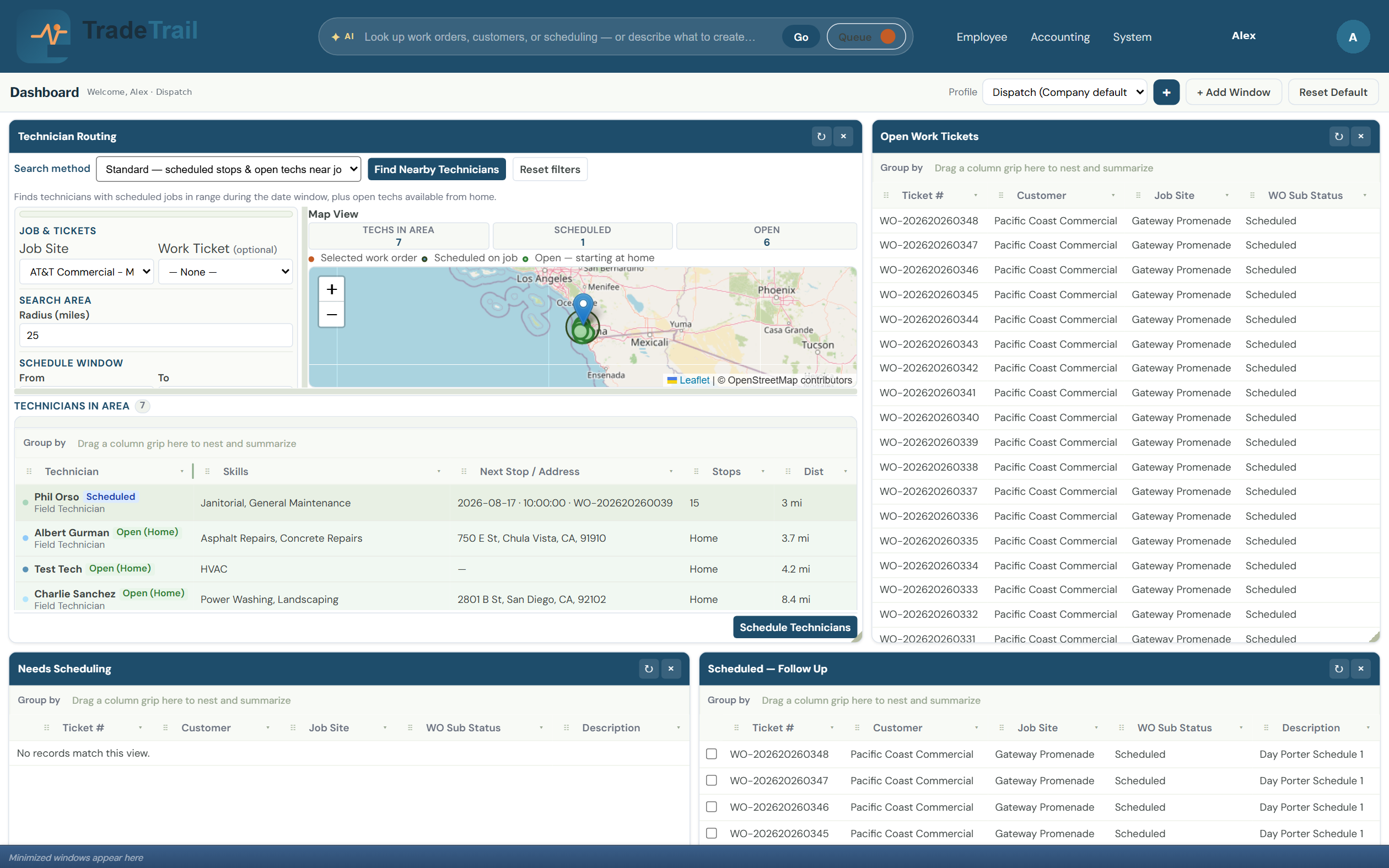
Who it’s for
One practical system for the desk and the crew — positioned for mid-tier to enterprise, and ready for smaller shops that want the same board and Field app.
Routing, jobs, credit, and Field for organizations that need a practical board — not another spreadsheet stitch.
Schedules, jobs, and field notes stay in one system across branches and bigger crews.
Office desktop for the board; TradeTrail™ Field on the phone — same jobs, same truth.
Office desktop
Schedules, credit, and pipeline visibility for the office — so the board and the field stay synced.
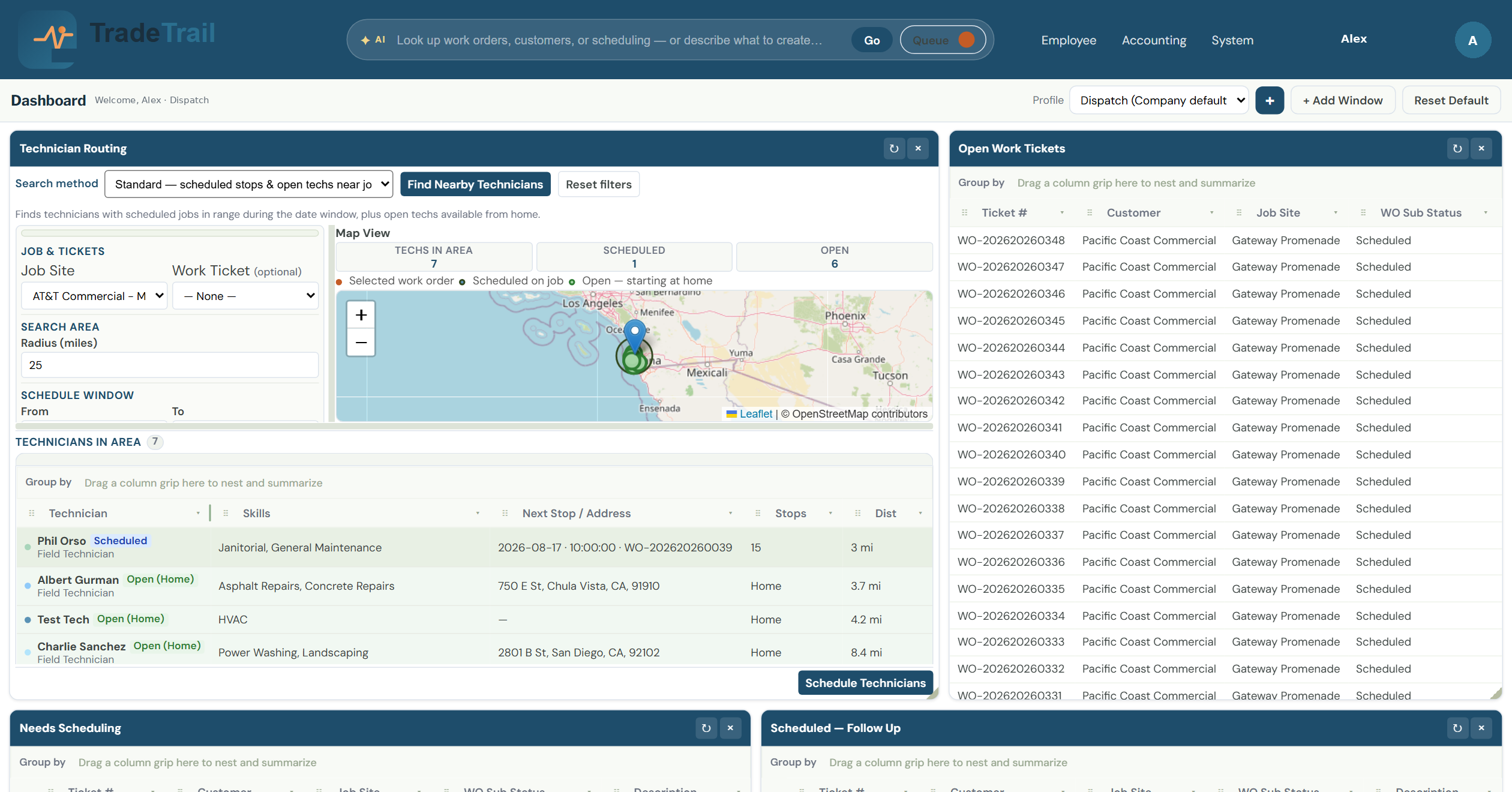
Put the closest qualified tech on the next job without the radio chaos.
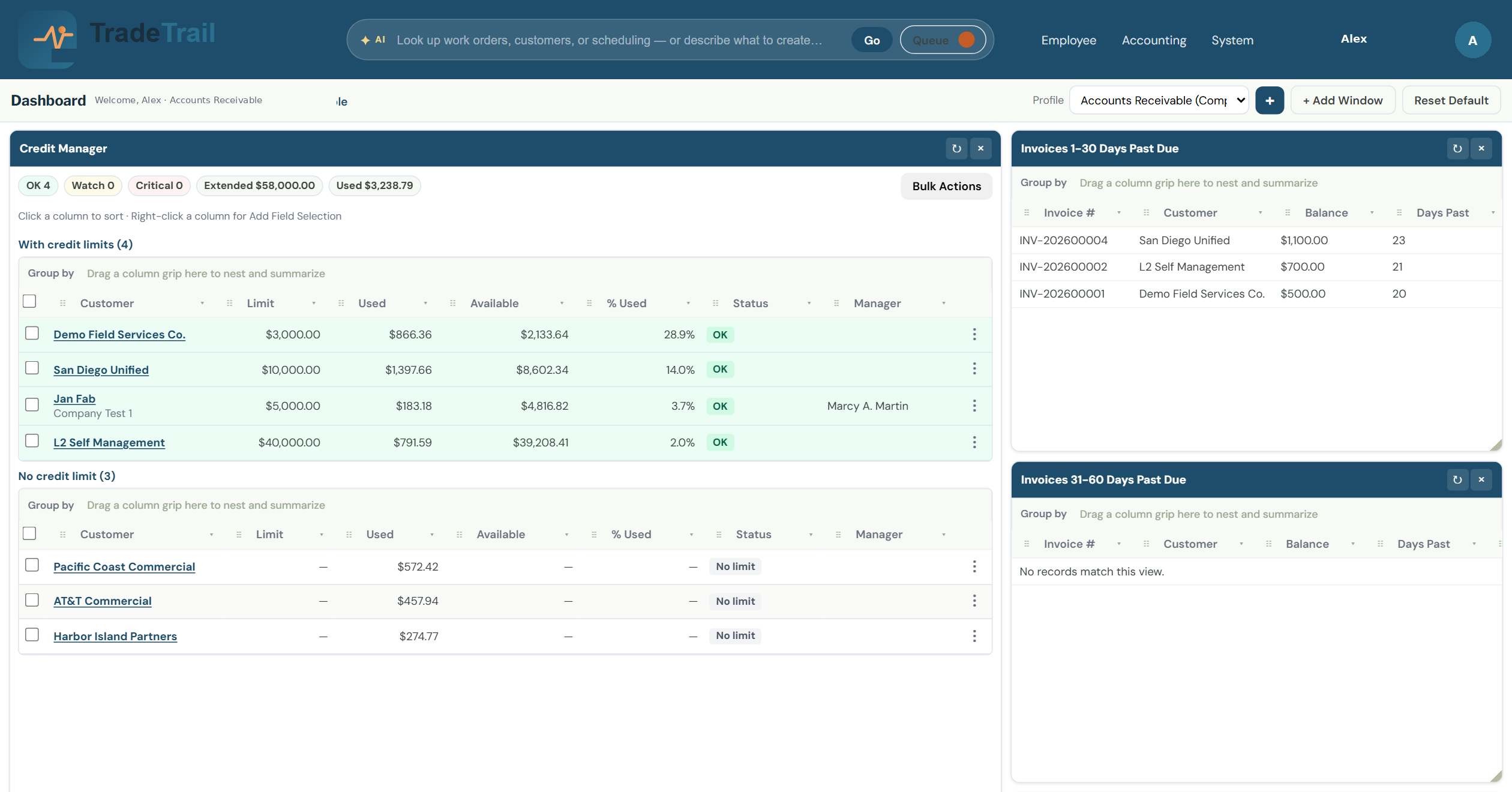
Protect cash flow before the next job is dispatched — limits, usage, and aging in one view.
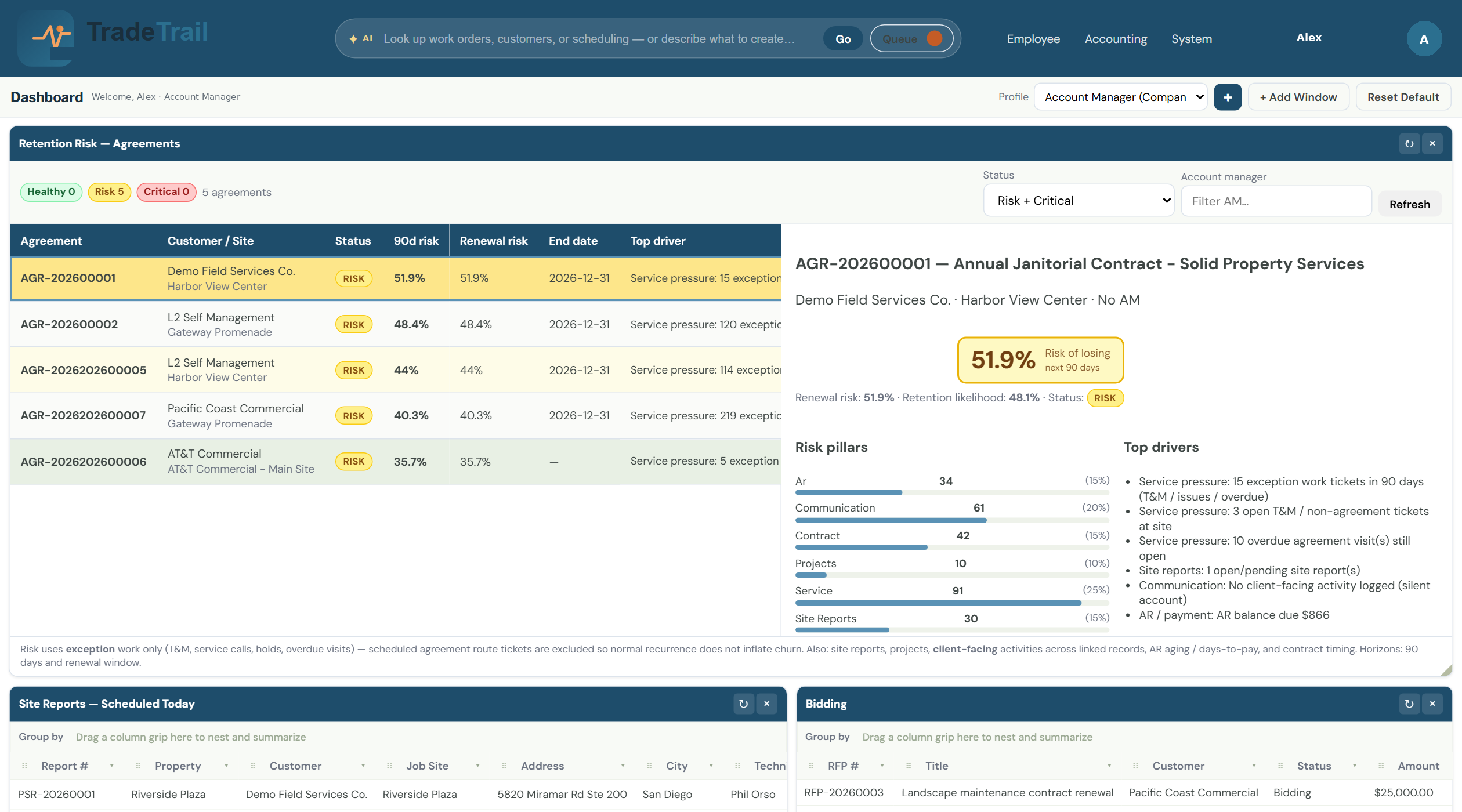
See every proposal in motion so the team closes more jobs — not more spreadsheets.
TradeTrail™ Field
Clock, activity, and ticket notes on the phone — built for the job, not desk software squeezed onto a screen.
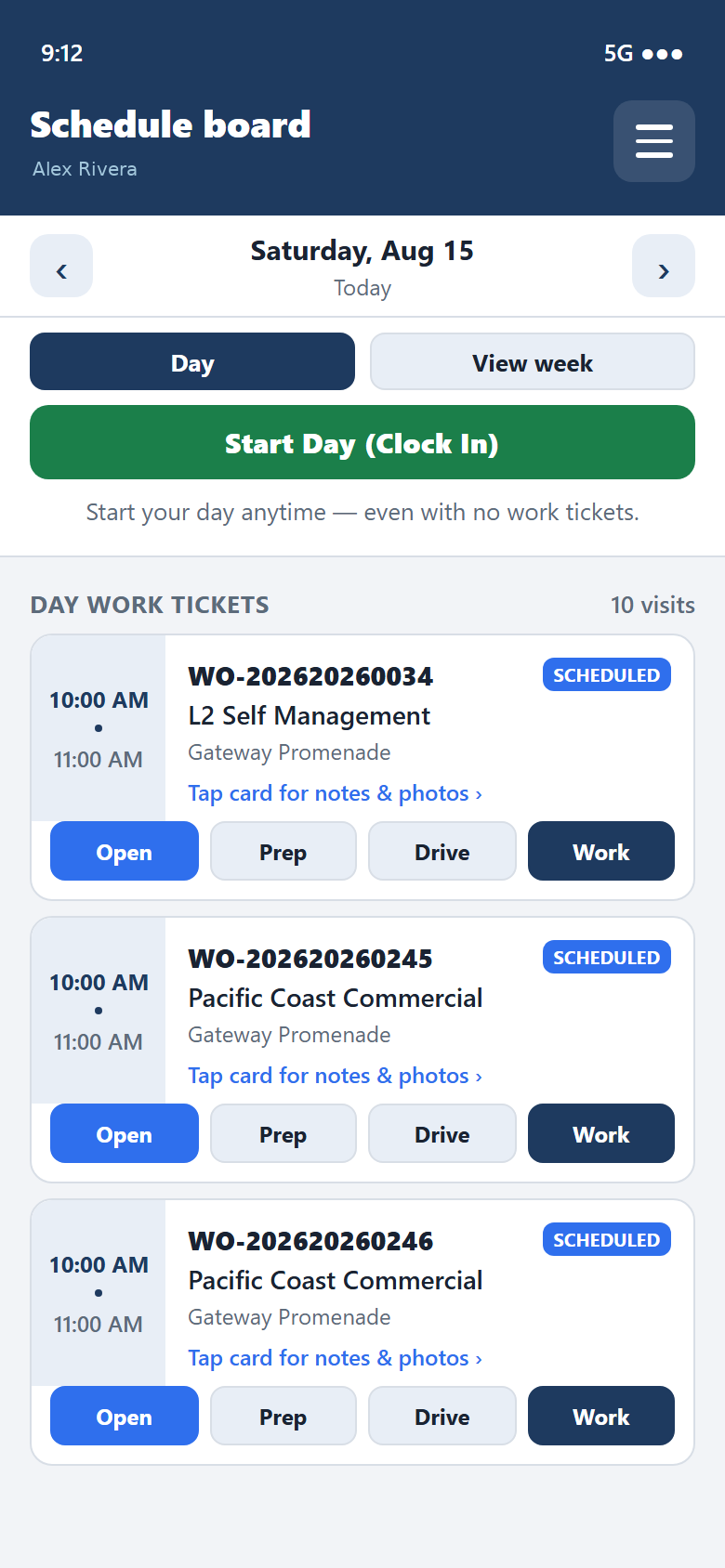
Start the day from the schedule board — even before the first ticket is assigned.
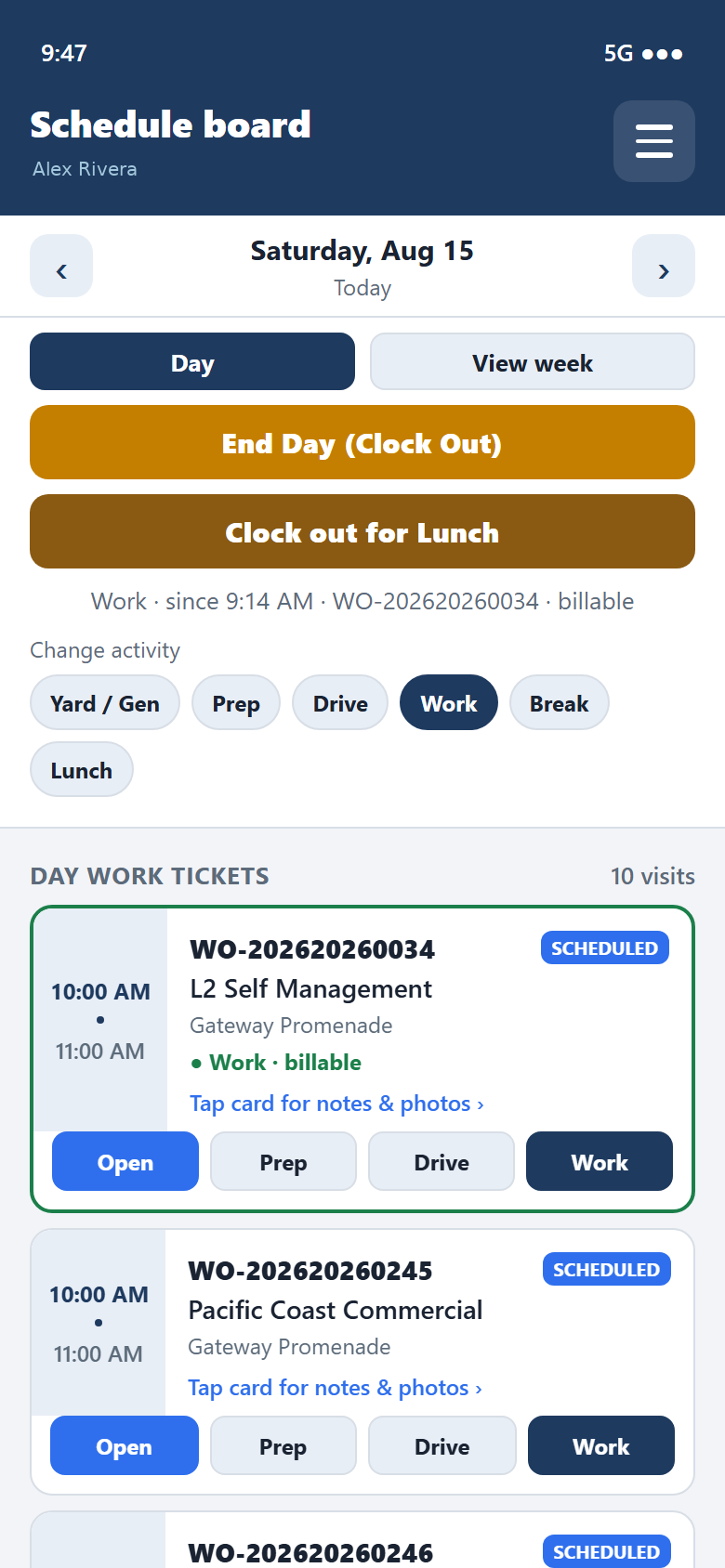
Switch Yard, Prep, Drive, Work, Break, or Lunch so payroll and job cost stay honest.
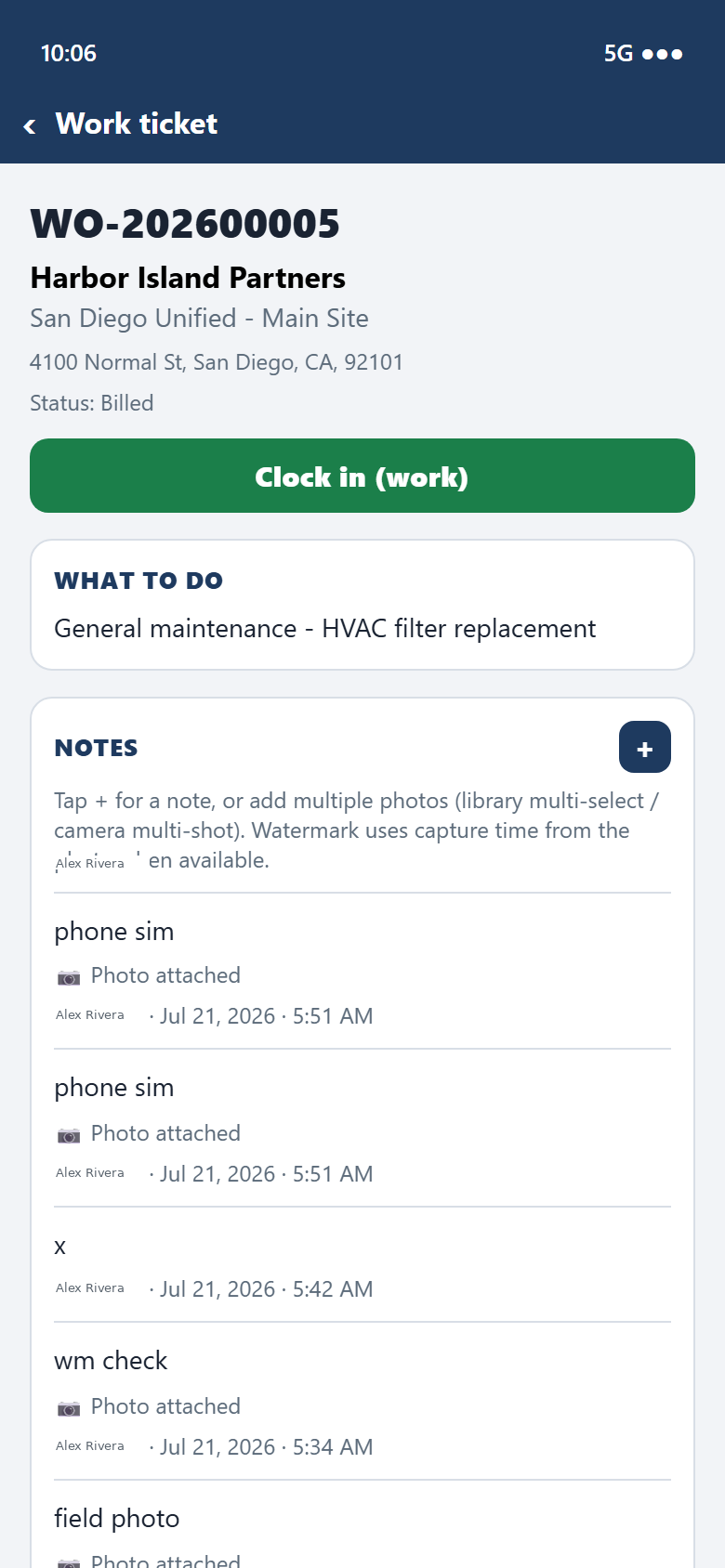
Capture what was done, attach photos, and send it back to the office from the ticket.
SI agents
SI means super intelligence agents — assistants that sign in as users and chat in-program to help office and field workflows inside TradeTrail™.
TradeTrail™ works with Grok Bot, Dots, and other compatible SI agents — so your team can use assistants that fit how the desk and the field already run.
SI agents show up beside the board — signed in, chatting inside the product, same jobs and tickets.
About us
Field Service Management for mid-tier to enterprise field organizations — office desktop plus TradeTrail™ Field.
TradeTrail™ is built by operators who’ve sat on both sides of the job — design and the jobsite. We ship Field Service Management so the desk and the trucks stay in sync at mid-tier and enterprise scale.
Co-founder
10+ years commercial electrical design experience.
Co-founder
10+ years experience working with a general contractor.
How it works
Tell us about your organization. We’ll follow up to walk through office desktop + TradeTrail™ Field.
Open the form with your name, company, title, email, field and office staff sizes, and a few fit questions.
We look at crew size, branches, and how you run the desk today — then schedule a walkthrough if it’s a match.
Live look at the board and TradeTrail™ Field — paced so you can see how the desk and the trucks stay in sync.
Tell us about your organization. We’ll reply to set up a walkthrough of office desktop + TradeTrail™ Field.
Questions? Reach us at marketing@tradetrail.app. We’ll get back to you shortly.
Tell us about your organization — we’ll follow up to schedule a walkthrough of office desktop + TradeTrail™ Field.