
Ready for a simpler rhythm
You need routing, jobs, and Field without enterprise bloat — a board the office can run and techs will actually open.
TradeTrail™ · Field Service Management
TradeTrail™ is office desktop + TradeTrail™ Field for crews of about 2–15. Dispatch, jobs, credit, and sales stay in one place — built for shops leaving Aspire, or shops that never wanted that stack.
Invite-only · we review fit before onboarding
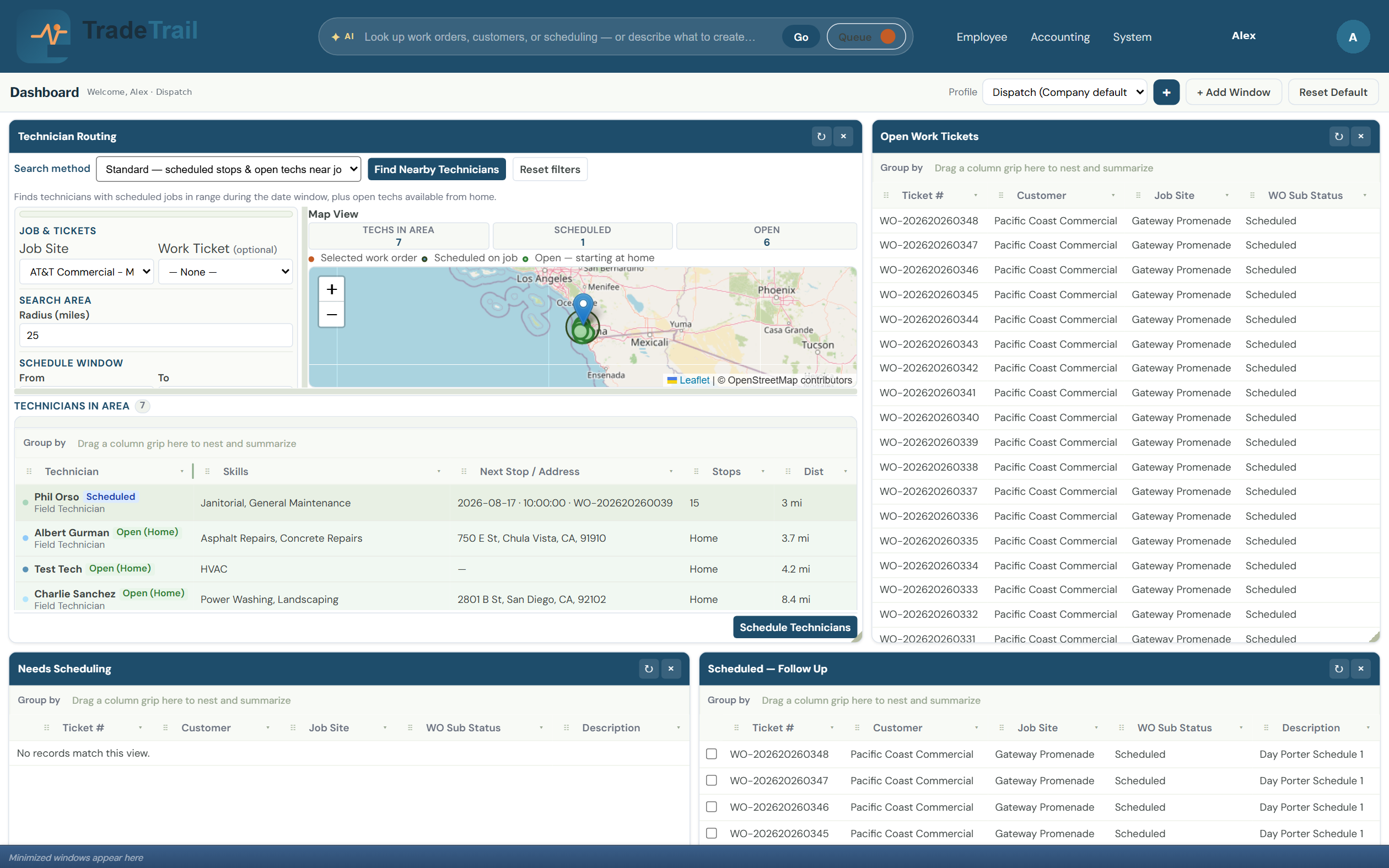
Who it’s for
One practical system for the desk and the crew — sized for how shops actually run.
You need routing, jobs, and Field without enterprise bloat — a board the office can run and techs will actually open.
You’re stitching work together by hand and want one system — schedules, jobs, and field notes in the same place.
Roughly 2–15 techs: big enough for real dispatch, small enough that the tool should stay out of the way.
Office desktop
Schedules, credit, and pipeline visibility for the office — so the board and the field stay synced.
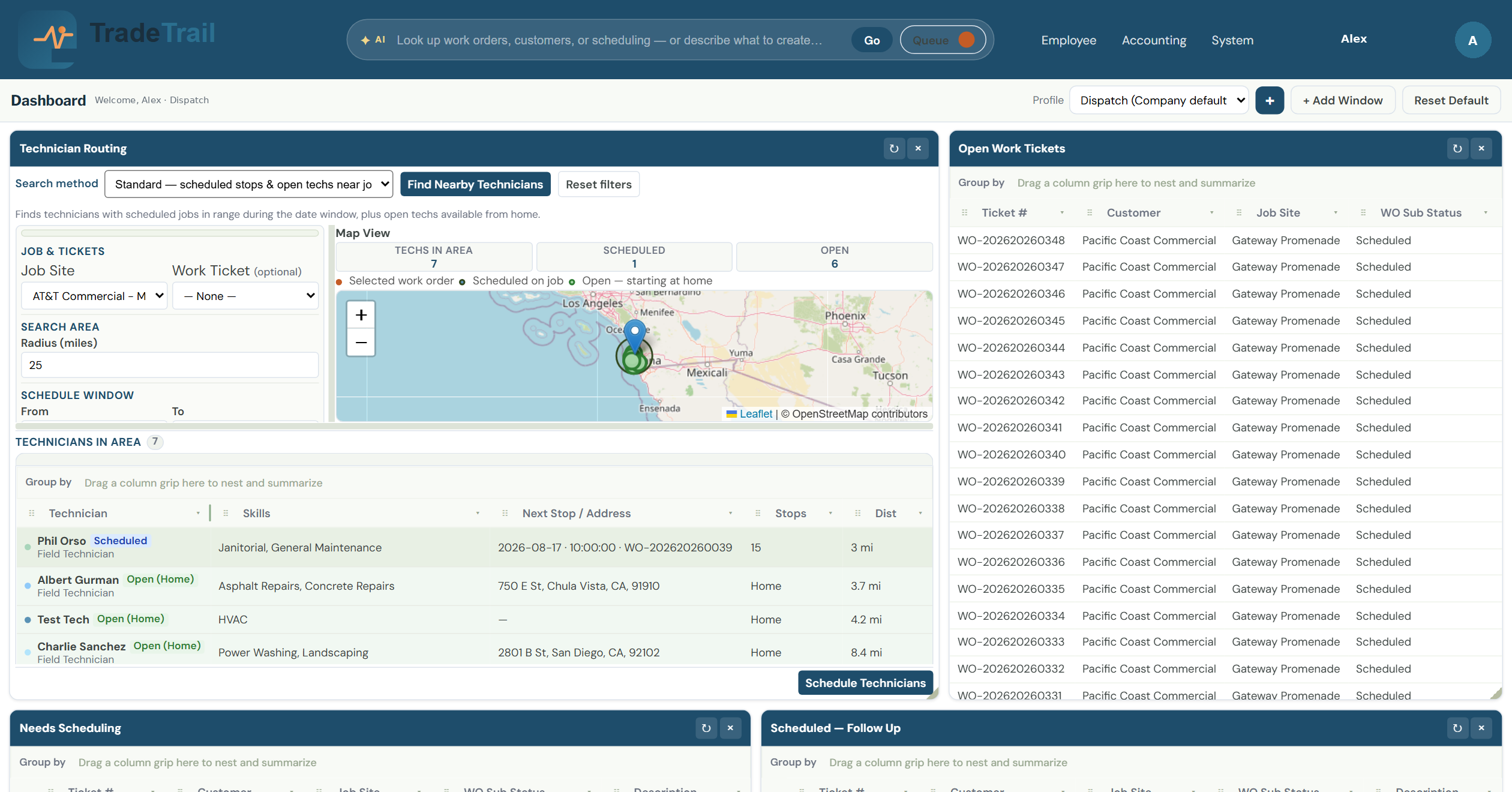
Put the closest qualified tech on the next job without the radio chaos.
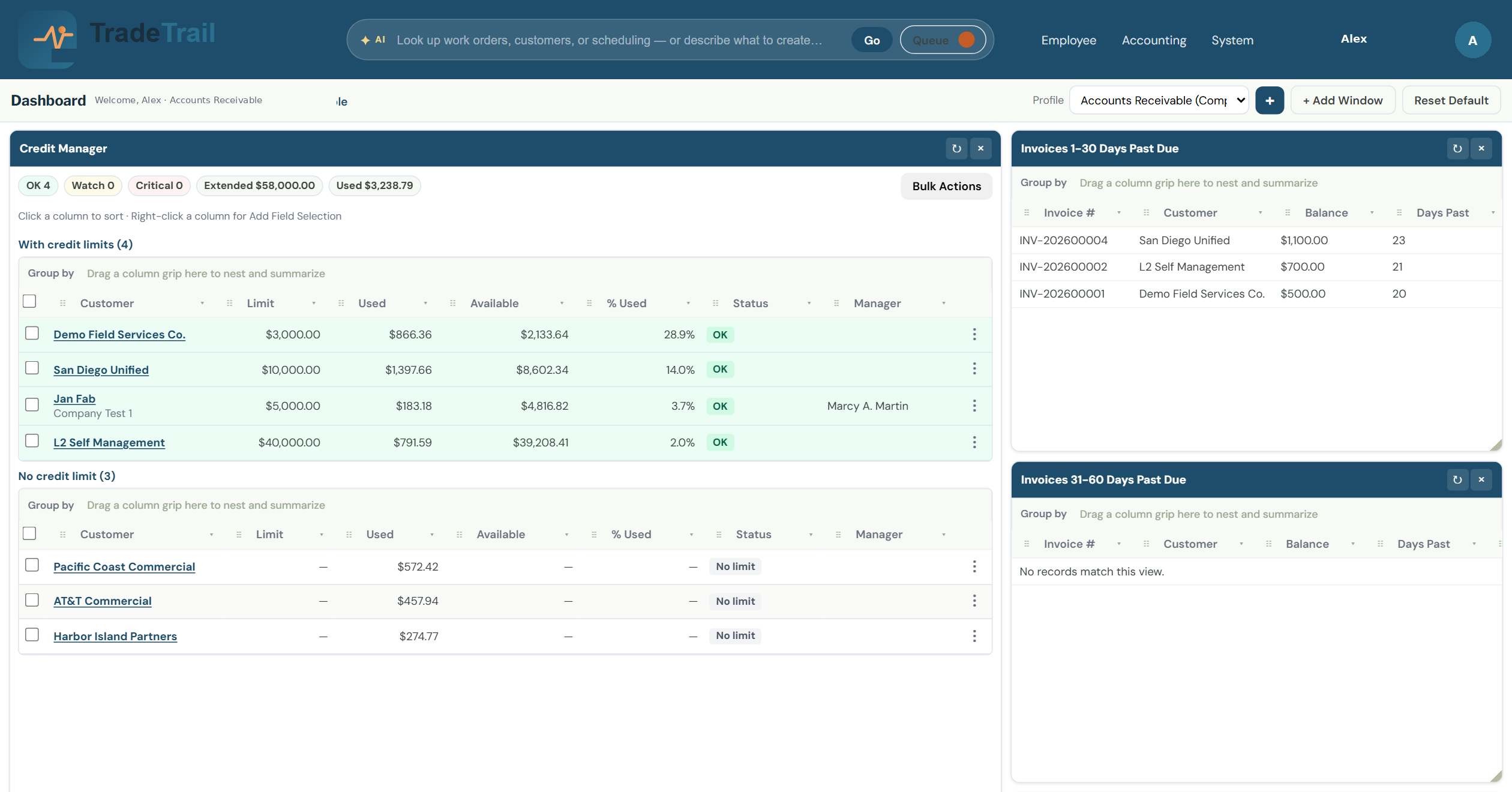
Protect cash flow before the next job is dispatched — limits, usage, and aging in one view.
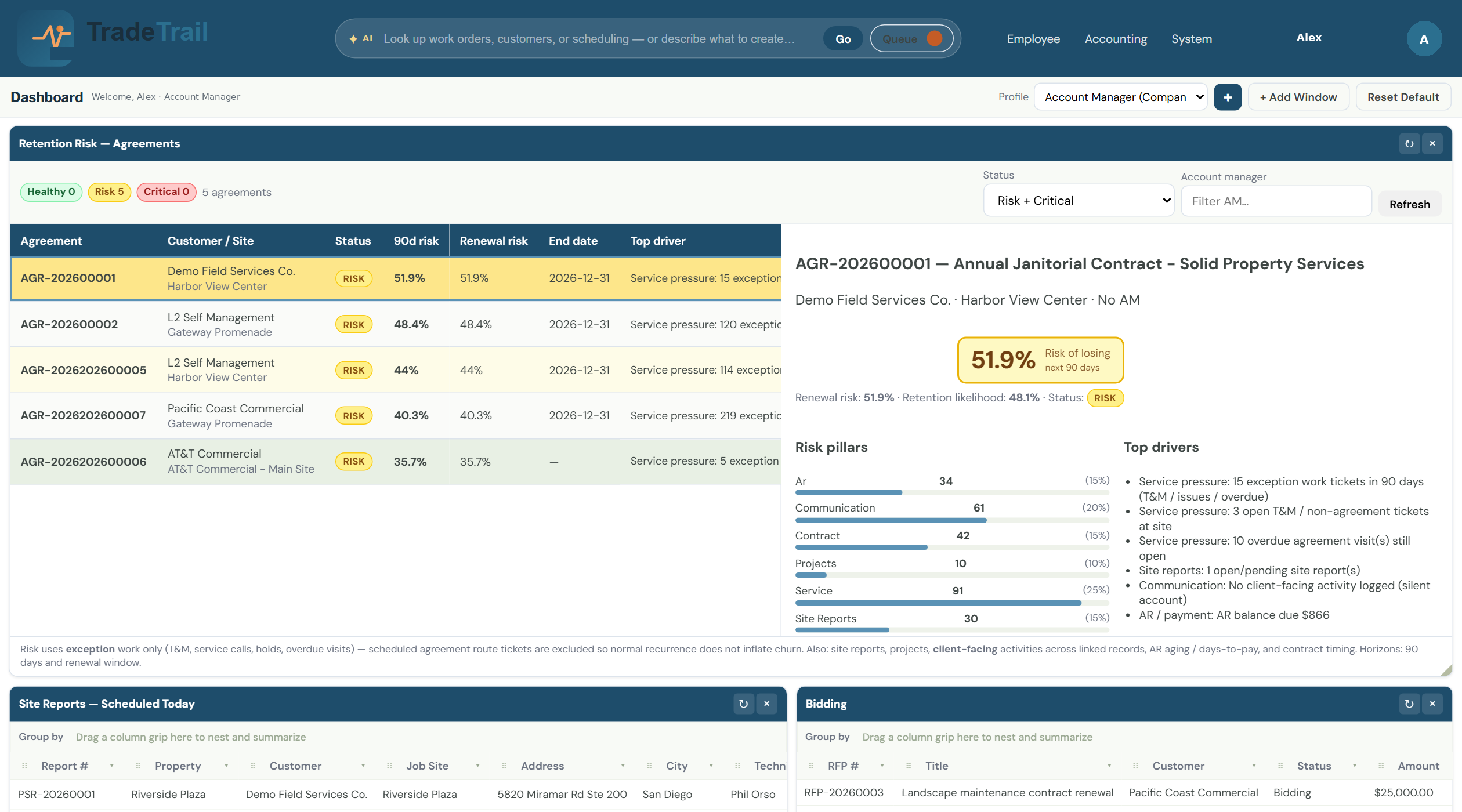
See every proposal in motion so the team closes more jobs — not more spreadsheets.
TradeTrail™ Field
Clock, activity, and ticket notes on the phone — built for the job, not desk software squeezed onto a screen.
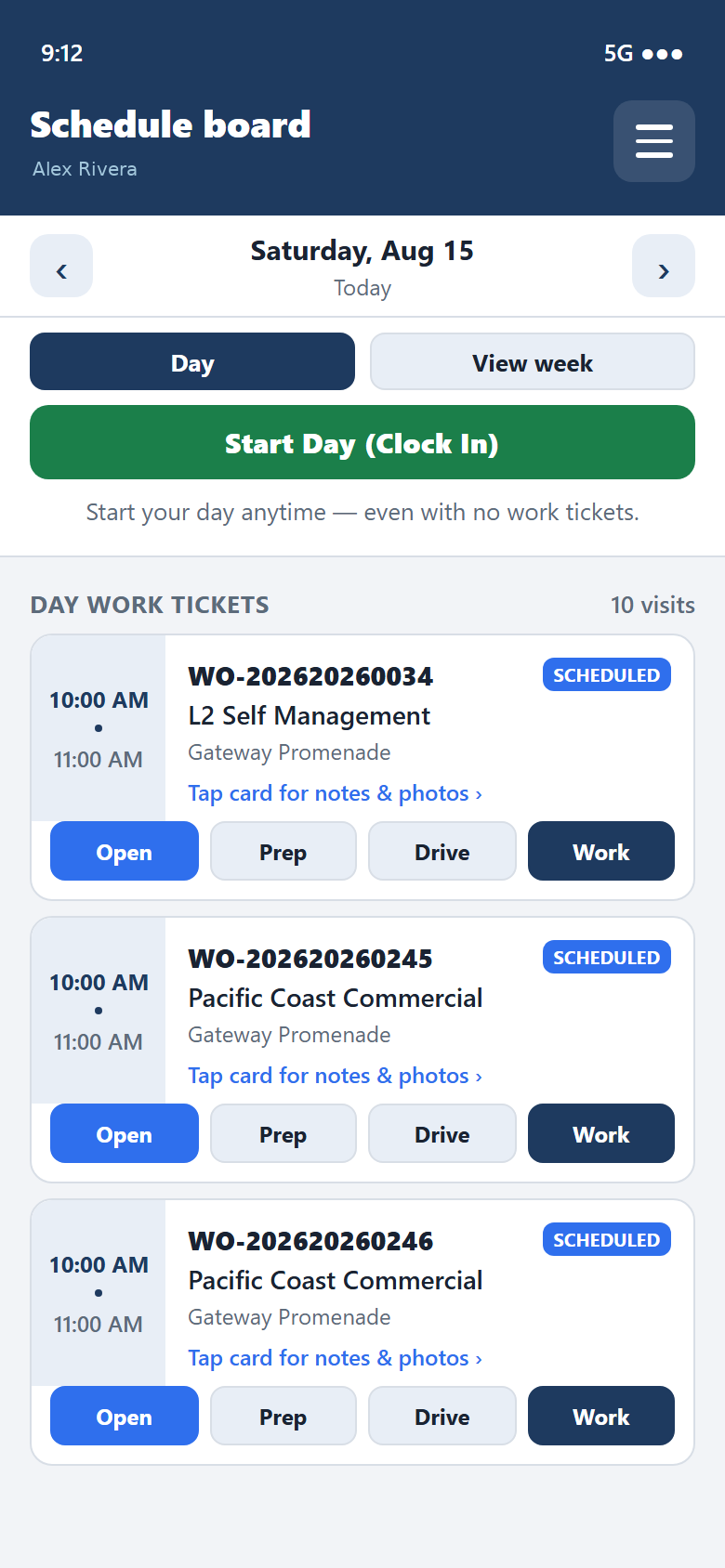
Start the day from the schedule board — even before the first ticket is assigned.
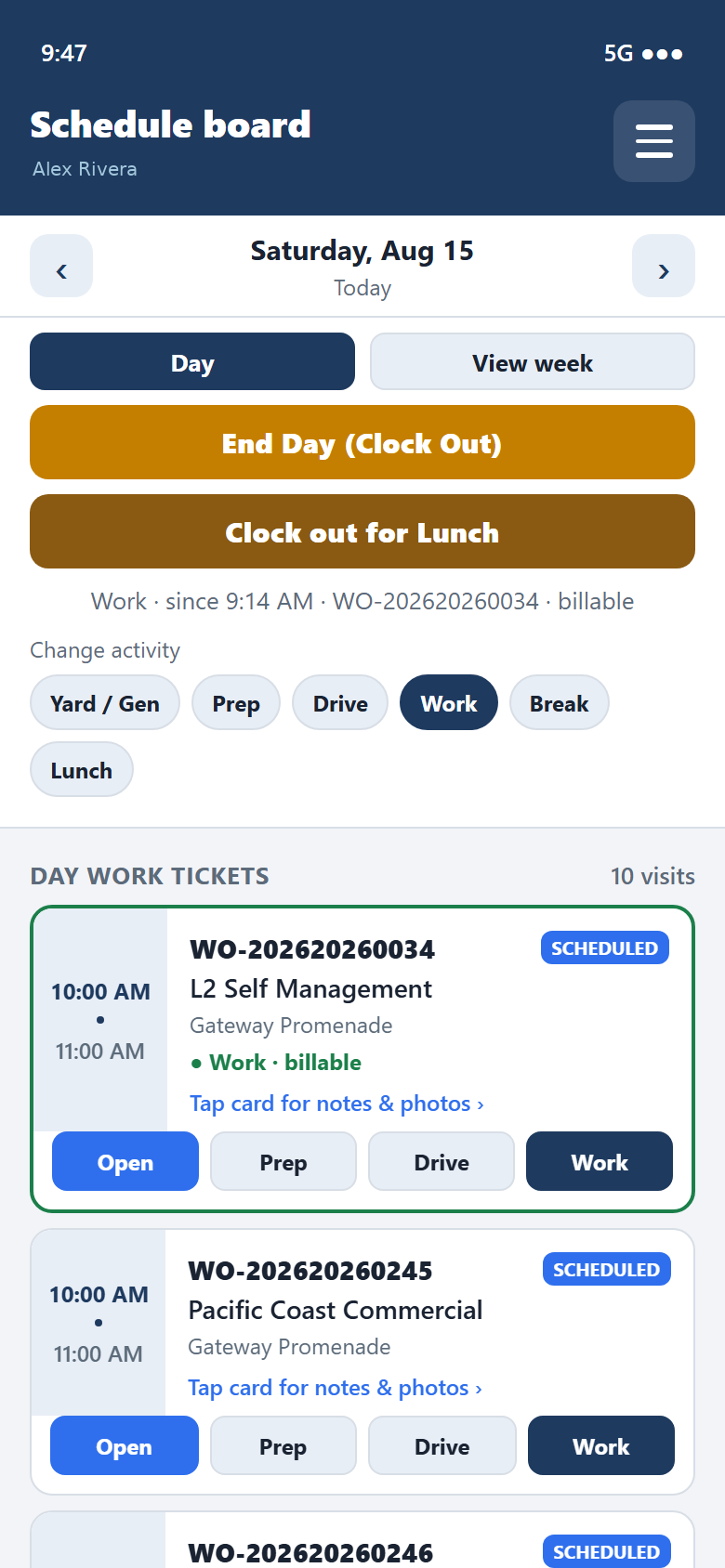
Switch Yard, Prep, Drive, Work, Break, or Lunch so payroll and job cost stay honest.
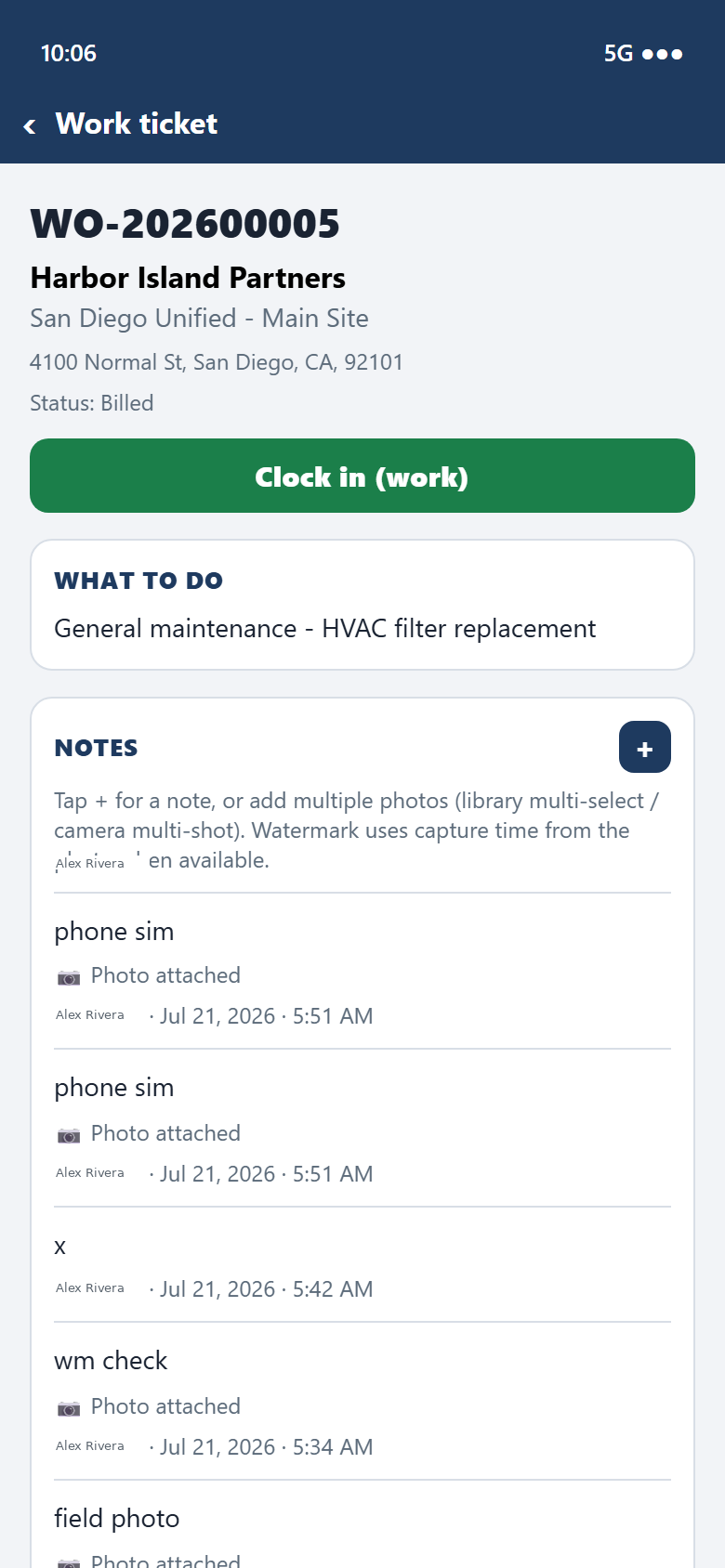
Capture what was done, attach photos, and send it back to the office from the ticket.
How invite works
We’re onboarding shops that fit — invite-only until the rollout is ready for more.
Email marketing@tradetrail.app with your name, shop, approx techs, and whether you’re leave-Aspire or never-Aspire.
We look at crew size and how you run the desk today. If it’s a match, we’ll follow up.
Office desktop + TradeTrail™ Field for your shop — paced so the board and the trucks stay in sync.
Tell us about your shop. We’ll reply if it’s a fit. Invite-only for now.
Email marketing@tradetrail.appSubject: TradeTrail invite request · for invites only — not a support inbox